Try Gnoblin in a window
The devkit runs a nested Gnoblin session inside your Wayland desktop. Use it to test a build without logging out.
First complete the source build.
Start
From the checkout:
GNOBLIN_PREFIX="$PWD/install" just previewA desktop viewer and terminal open. Programs started from that terminal connect to the nested compositor.
To choose a terminal explicitly:
GNOBLIN_PREFIX="$PWD/install" just preview kittyTry your shell
From the devkit terminal, launch an installed layer-shell client:
waybarThe bar should appear inside the viewer. Try its menus and launcher. Close the terminal to stop the devkit.
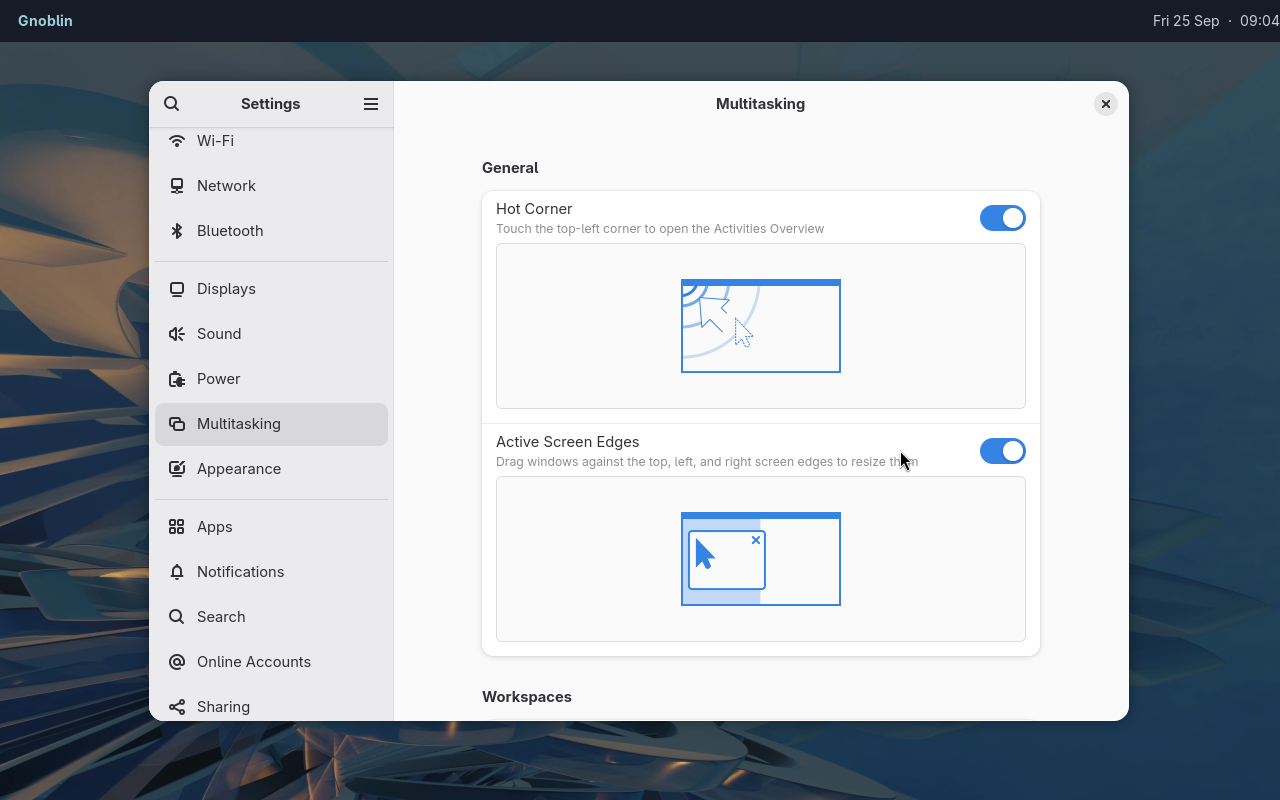
The devkit can run stock desktop apps alongside independently launched shell clients.
Options
| Variable | Accepted value | Default | Effect |
|---|---|---|---|
MONITOR | WIDTHxHEIGHT, in pixels | 1600x900 | Sets the virtual display size |
GNOME_DEVKIT_HEADLESS | 1 or unset | Unset | Starts without a viewer when set to 1 |
GNOME_DEVKIT_EXEC | Shell command string, or unset | Unset | Runs the command instead of opening a terminal |
GNOME_DEVKIT_UNSAFE_MODE | 0, 1, or unset | Unset | Enables privileged Eval only when set to 1 |
These are environment variables read when the devkit starts. For example, MONITOR=1280x800 selects a 1280 by 800 virtual display. The unsafe mode is intended only for an isolated test process.
Headless / scripting mode
GNOME_DEVKIT_HEADLESS=1 \
GNOME_DEVKIT_EXEC='gnoblinctl feature list --json' \
GNOBLIN_PREFIX="$PWD/install" just preview
This runs without a host Wayland display and exits after the command. just test-preview checks this environment.
Isolation
The nested display and D-Bus bus are separate. Host X11, accessibility and gvfs connections are not passed through.
Your HOME and runtime directory remain real. Applications can still read or change your files and configuration. This is not a security sandbox.
For a fresh profile, including screenshots and demos, run:
bash scripts/run-clean-devkit.shThis creates disposable home, config, data, cache, state and runtime directories and removes them when the devkit closes. The viewer still connects to your host Wayland session and may use its PipeWire socket. Use a VM when the guest must be fully separate from host services. Check the image before publishing it.
Documentation captures
The checked-in documentation scenes can be recaptured with:
scripts/capture-doc-examples.sh waybar-firefox
scripts/capture-doc-examples.sh waybar-launcher
GNOBLIN_DOC_BINGUX_PATH=../bingux/shell/bingux scripts/capture-doc-examples.sh bingux-firefox
scripts/capture-doc-examples.sh quickshell-firefox
scripts/capture-doc-examples.sh waybar-files
scripts/capture-doc-examples.sh waybar-settings
scripts/capture-doc-examples.sh waybar-mako-notification
GNOBLIN_DOC_BINGUX_PATH=../bingux/shell/bingux scripts/capture-doc-examples.sh bingux-files
scripts/capture-doc-examples.sh quickshell-files
scripts/capture-doc-examples.sh window-effects
Each capture uses a disposable profile and removes it afterward. Scenes pair Firefox and stock GNOME apps with Waybar + Mako, Quickshell and Bingux. Bingux is one separate shell project using Gnoblin.
The Mako scene shows a Calendar reminder over Firefox. Firefox opens GNOME Help in a fresh profile; set GNOBLIN_DOC_FIREFOX_URL to use another page. Network access is needed for the default page.
Captures need a visible Wayland session, a current build in ./install, and the scene's apps. The build must include Adwaita Hyprcursor. The live cursor is included in each image; the capture contains only the devkit viewport.
The private test harness is for automated checks. A devkit run does not verify the installed login session.
Troubleshooting
| Problem | Next step |
|---|---|
No host WAYLAND_DISPLAY | Use a Wayland desktop or headless mode |
No Shell in ./install | Finish the source build |
| No terminal found | Install one or pass its command explicitly |
| Quickshell/Qt mismatch | Install or rebuild a matching Quickshell |
EBUSY taking the session | Use this devkit launcher, not a direct native/KMS launch |